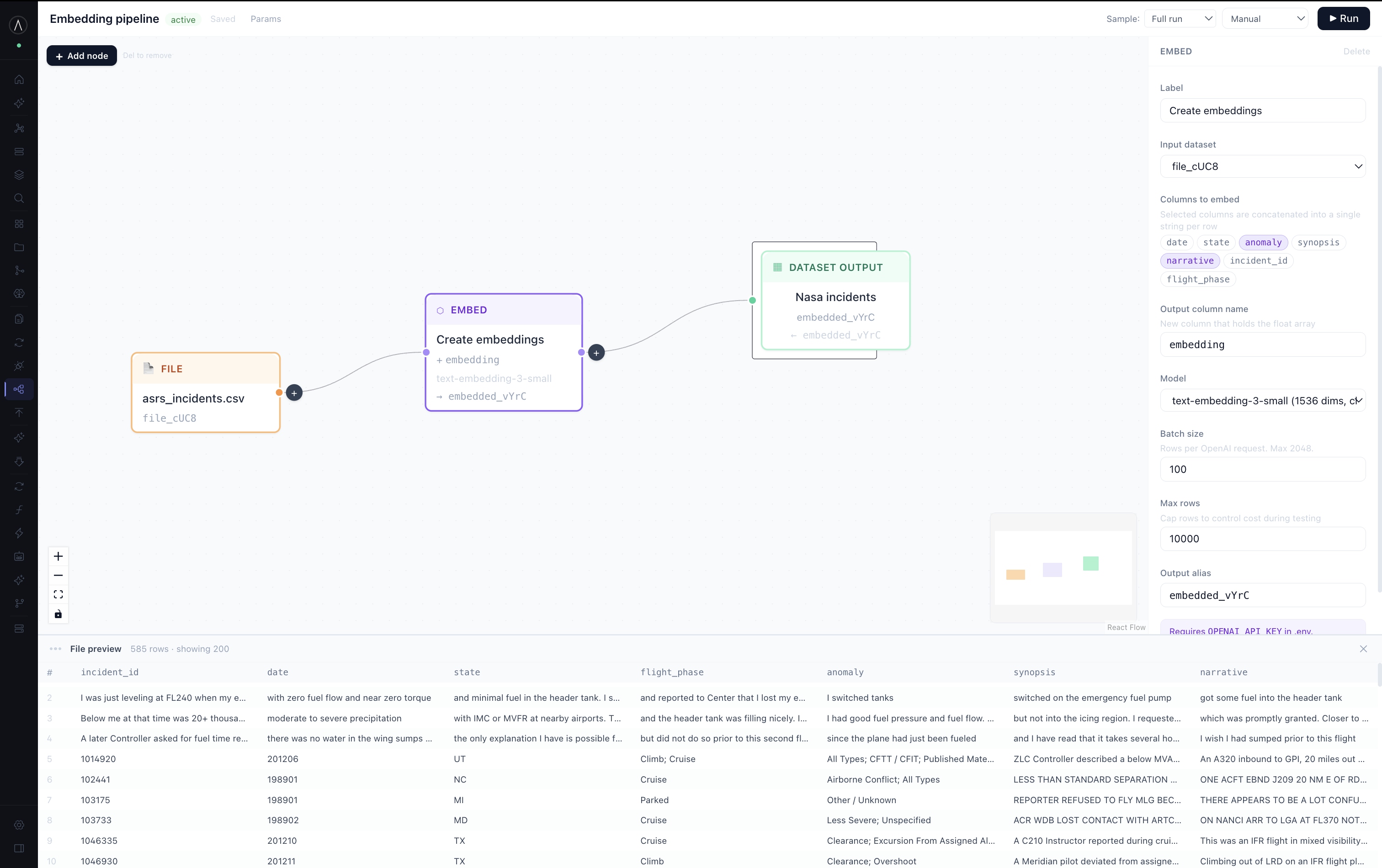
Embed the text in the pipeline.
Add an embed node between the file and its output, then pick the columns to embed.
Here that's narrative and anomaly. They get joined per row and
sent to the embedding model in batches. It's a pipeline node, so it re-runs with
everything else.
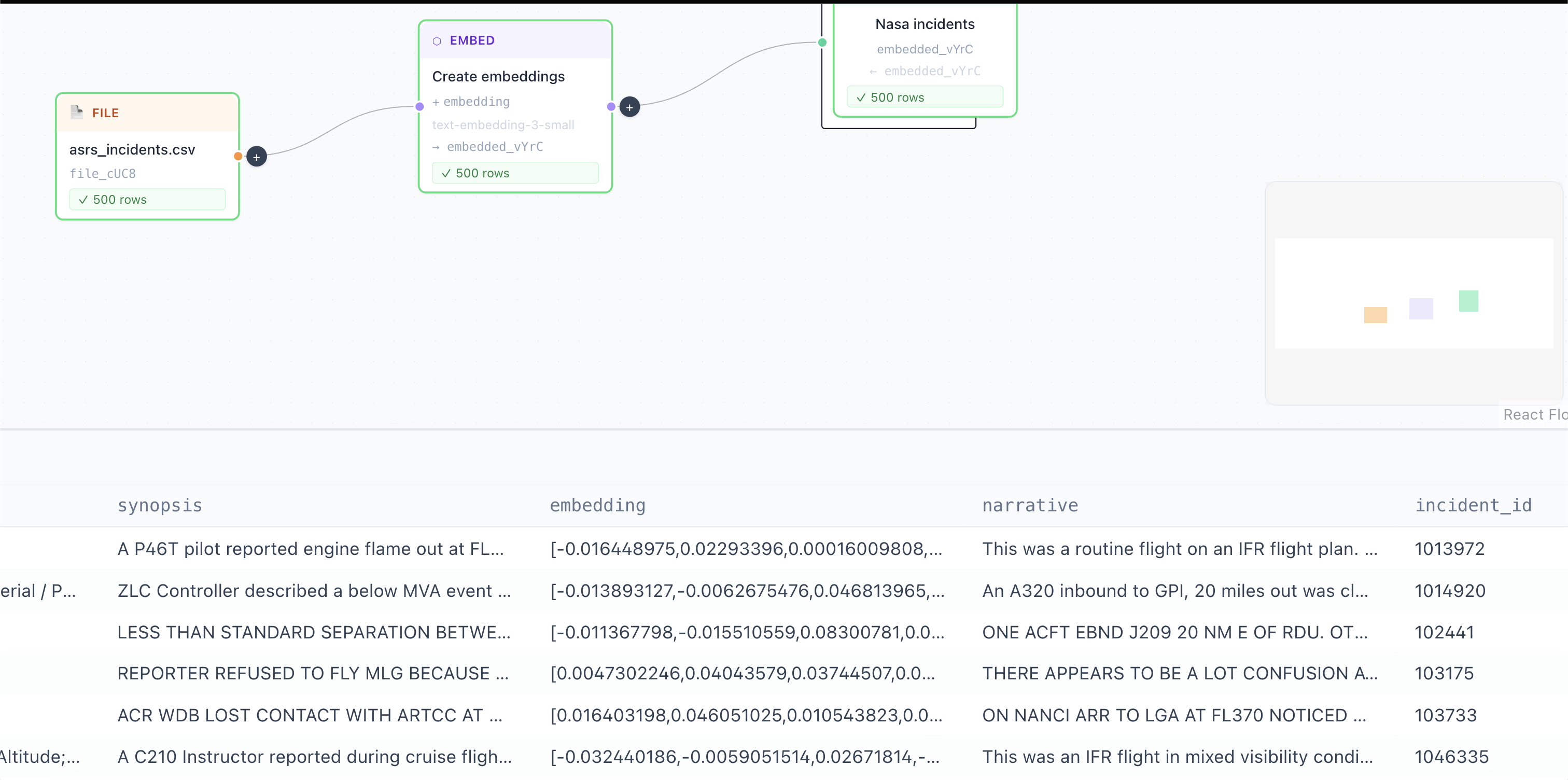
Run the pipeline.
You get a dataset where every row has an embedding column next to the
original fields. The vectors sit with the record. There's no separate vector database to
keep in sync.
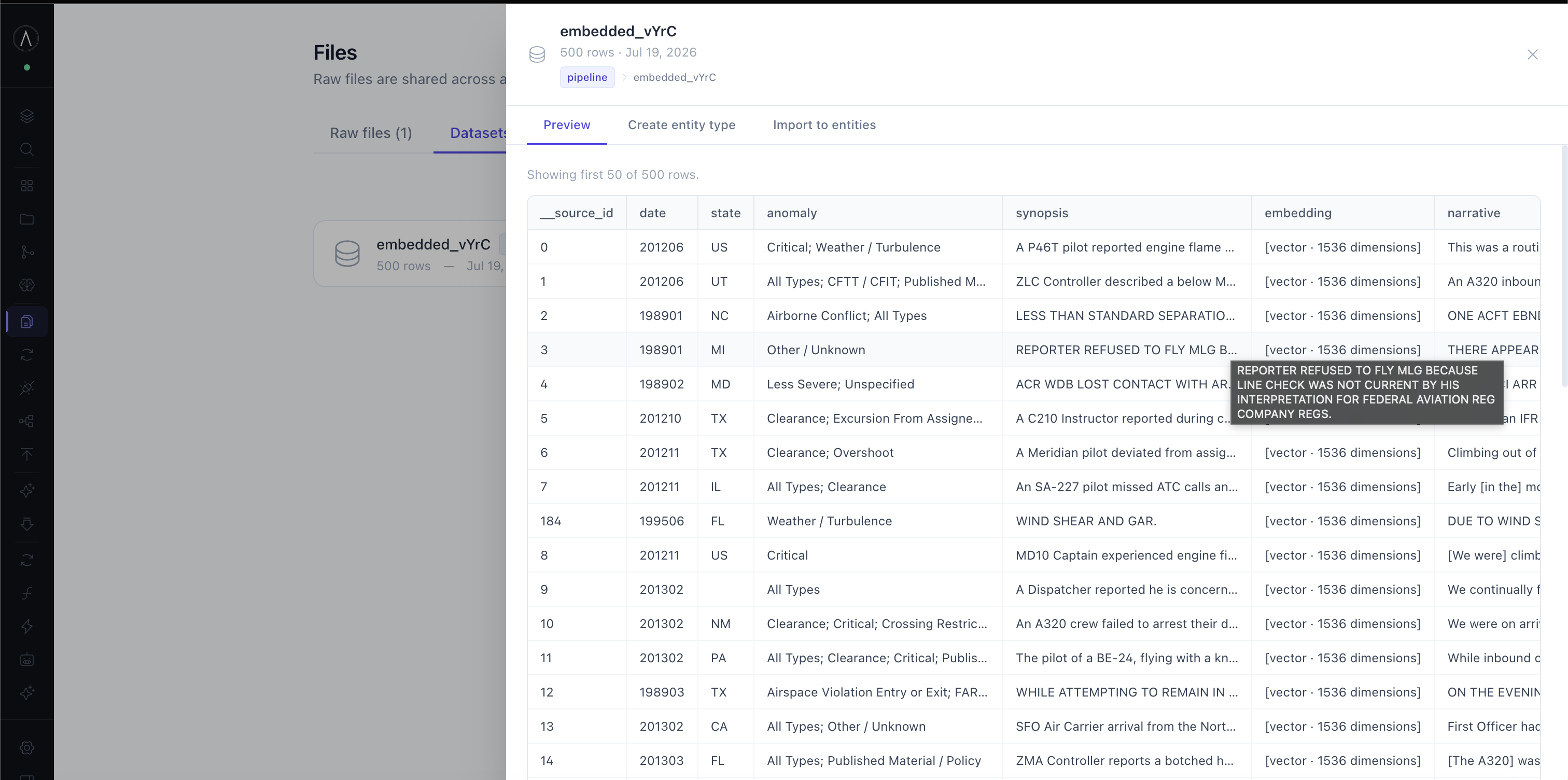
Import it into the ontology.
The dataset becomes an object type and the vector becomes a property on it. The incidents are entities now, so you can link and query them like anything else.
Write the search function.
sdk.embed() turns the question into a vector.
sdk.nearestNeighbors() ranks the incidents against it. They're separate calls
so you can embed once and search several properties, or reuse a vector you already have.
minSimilarity drops the weak matches so the agent doesn't get handed
noise.
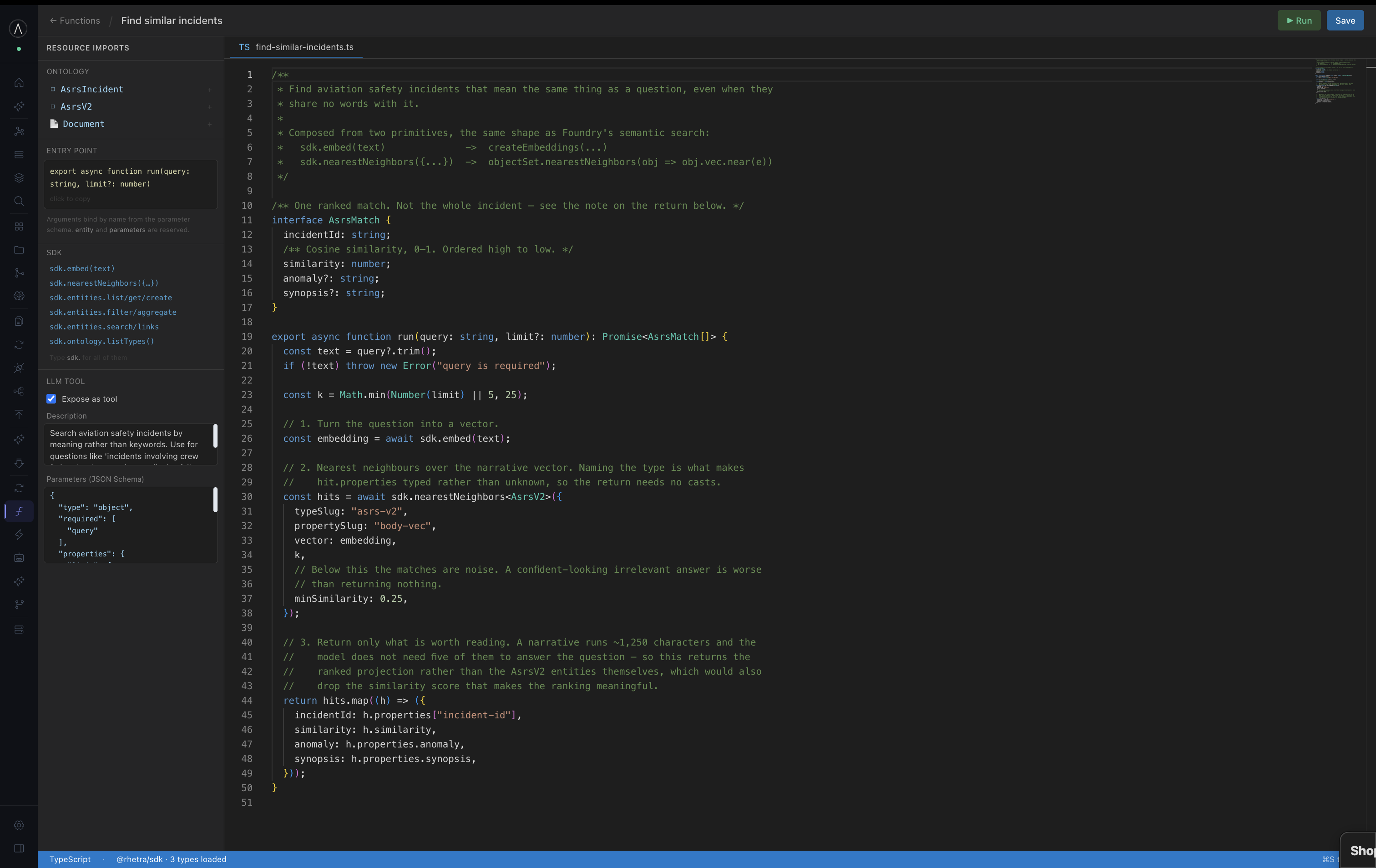
Expose it as a tool.
One checkbox makes the function available to the agent. The parameter schema tells the model when to call it. That same schema types the arguments in the editor and builds the form you test with.
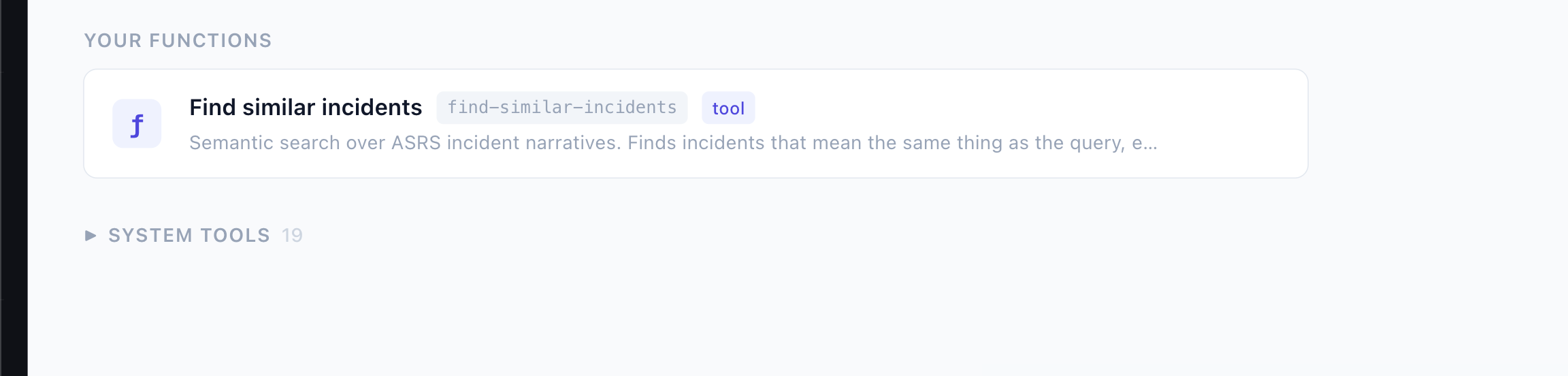
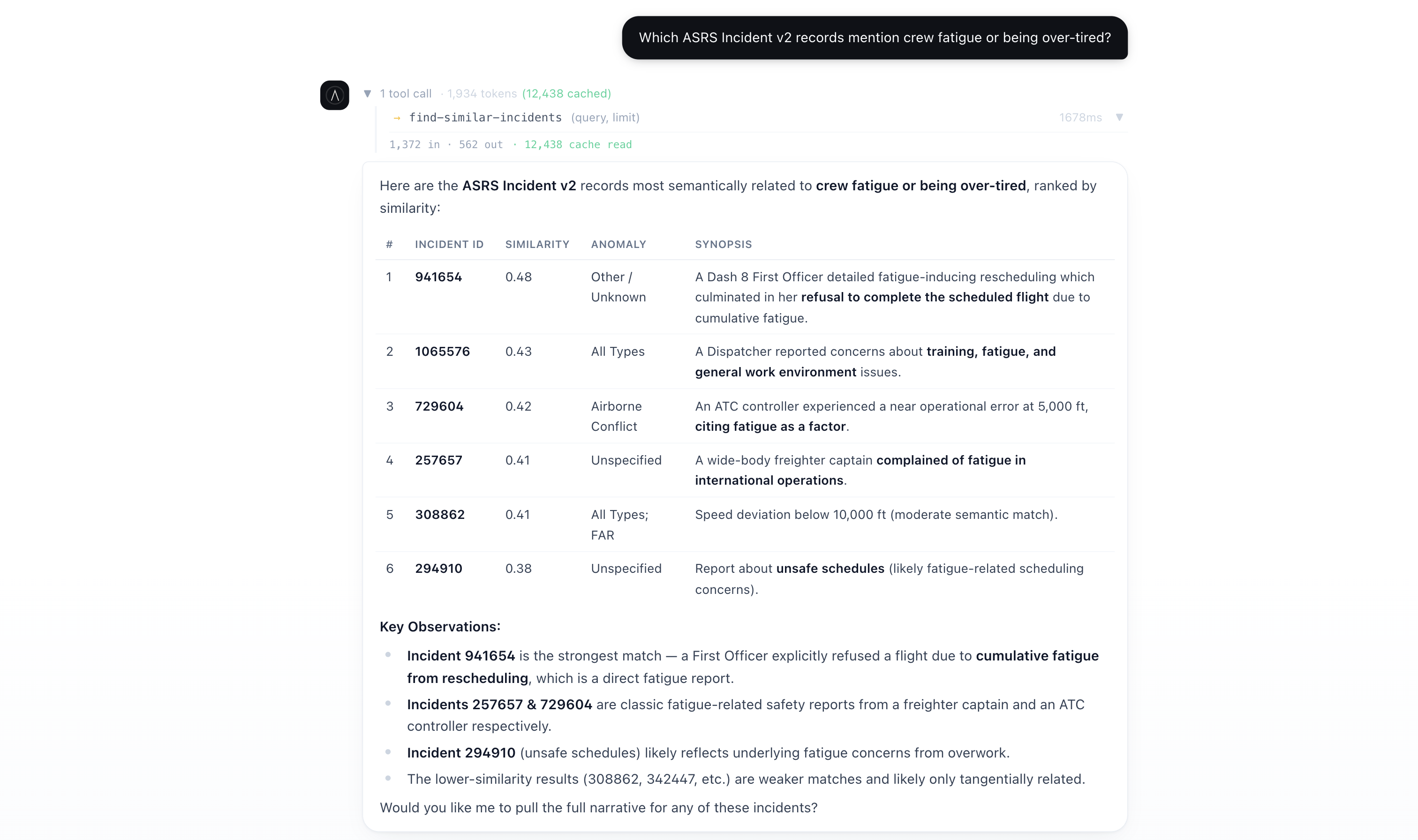
Your agents use it.
From here it's part of what your agents can do. Ask something in plain language and the agent works out this is the right function, ranks the incidents by similarity and lays out what it found. A report about unsafe schedules comes back for a question about fatigue, even though it never uses the word.